

The Smart Gamer’s RTX 5070 Sweet Spot
At ~$1,800, the Core Ultra 7 + RTX 5070 pairing hits harder than anything near its price. We put it through its paces — and it earned every dollar.
Introduction
There’s a version of the gaming laptop market that only makes the news: the monsters. The fire-breathing, wallet-obliterating flagships with desktop-class GPUs, 18-inch panels, and price tags that could finance a used car. We reviewed one of those last year — the MSI Raider A18 HX with its Ryzen 9 9955HX3D and RTX 5090. It was extraordinary. It was also $5,099.
That machine exists in a different stratosphere — and honestly, it should. It’s a desktop replacement for professionals and power users who will push every last watt of its potential. But for everyone else? The fight happens at a different price point.
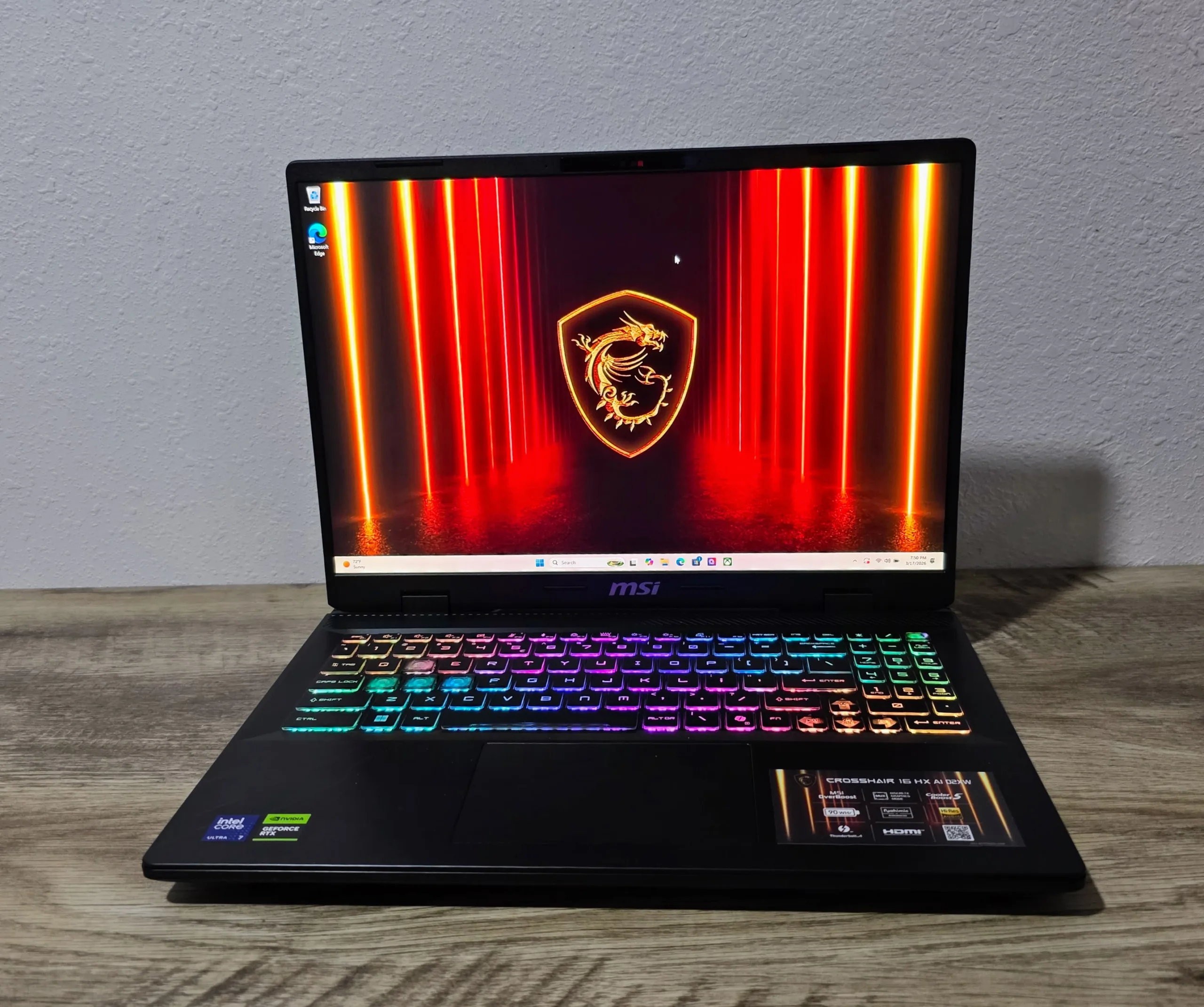
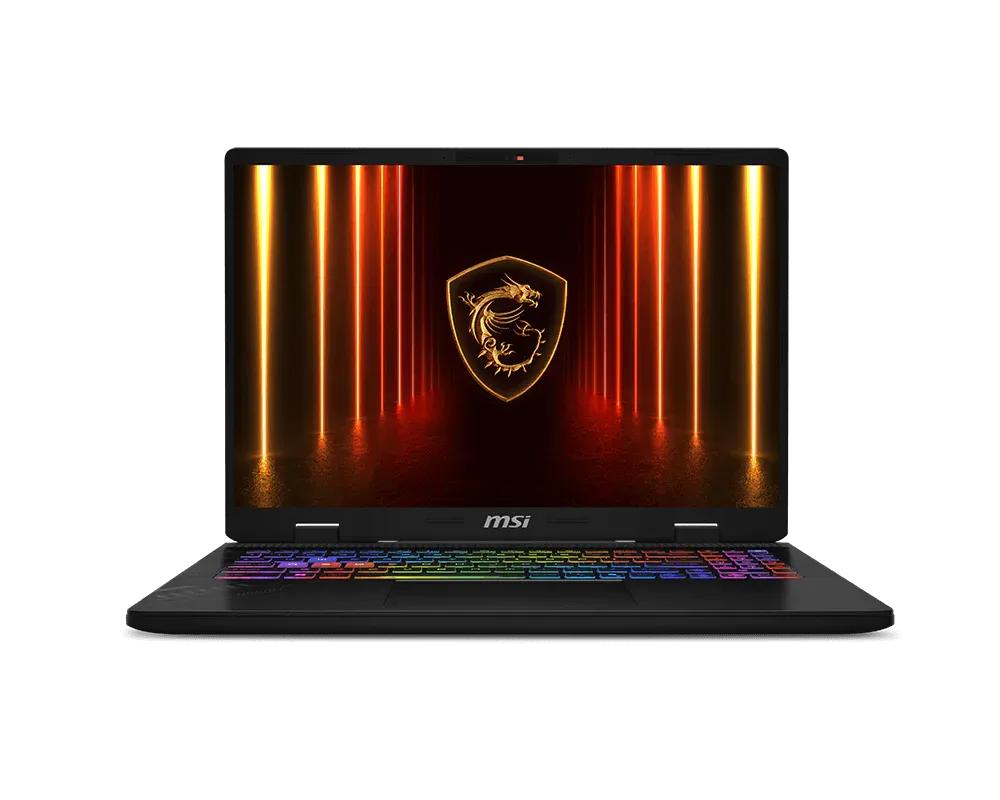
That’s the tier the MSI Crosshair 16 HX AI (D2XWGKG-074US) is built for, at around $1,749–$1,900. Blackwell GPU, next-gen CPU, 240Hz 1600p panel. It’s the kind of spec sheet that makes you raise an eyebrow and ask, “What’s the catch?”
We spent serious time with this machine — real gaming sessions, thermal stress tests, VRAM-busting benchmarks, and frame time analysis across a carefully curated game suite. What we found was a laptop that makes you rethink what the word “value” means in 2026.
This isn’t just a good budget pick. It’s the configuration we’d recommend to most people over nearly everything else at this price. The MSI Crosshair 16 HX AI pairs Intel’s Core Ultra 7 HX processor with NVIDIA’s RTX 5070 Laptop GPU, targeting high-refresh 1440p gaming. While it delivers strong performance for its class, limitations like 8GB of VRAM and aggressive thermals shape how far it can be pushed in modern titles. Let’s take a look.
Full Specifications
| Component | Detail |
|---|---|
| CPU | Intel Core Ultra 7 255HX (20 Cores: 8P + 12E, up to 5.2 GHz, 24MB L3) |
| GPU | NVIDIA GeForce RTX 5070 Laptop GPU (8GB GDDR7, 115W TGP, Blackwell) |
| Display | 16″ QHD+ (2560×1600), 240Hz, 100% DCI-P3, IPS, Non-PWM |
| RAM | 32GB DDR5-5600 (2×16GB, dual-channel) |
| Storage | 1TB PCIe Gen4 NVMe (2nd M.2 slot Gen5-capable) |
| Battery | 90Wh |
| Networking | Wi-Fi 6E + Bluetooth 5.3 + Gigabit LAN (RJ45) |
| I/O | HDMI 2.1, 1× USB-C Thunderbolt 4, 3× USB-A 3.2, RJ45 |
| Weight | 5.51 lbs (2.5kg) without power brick |
| OS | Windows 11 Home |
| Price (at review) | ~$1,749 (D2XWGKG-074US) |
Intel’s Core Ultra 7 255HX sits just below the Ultra 9 variant in the lineup — but in practical gaming terms, you’d be hard-pressed to tell the difference on a graph. The 20-core hybrid architecture delivers excellent single-threaded performance for gaming and strong multi-threaded output for creators, all while leveraging Intel’s integrated NPU for AI workloads.
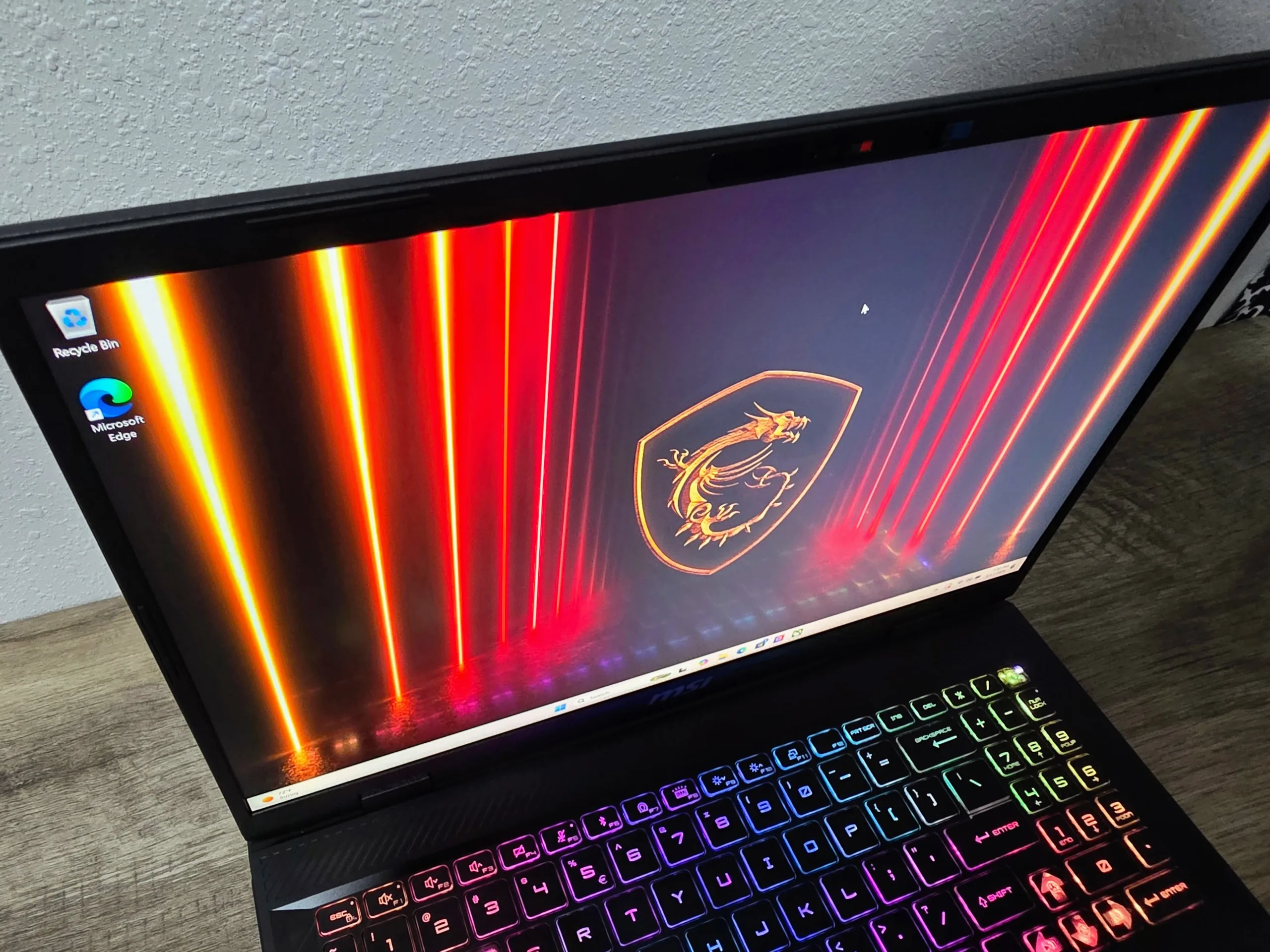
The star, though, is NVIDIA’s RTX 5070 Laptop GPU. Built on Blackwell — the same architecture powering the desktop RTX 5090 in the Raider A18 — it brings hardware-accelerated ray tracing, DLSS 4 with Multi-Frame Generation, and a neural rendering pipeline that older laptops simply can’t match. At 115W TGP, MSI is giving it the headroom it needs to breathe.
Design, Build Quality & I/O
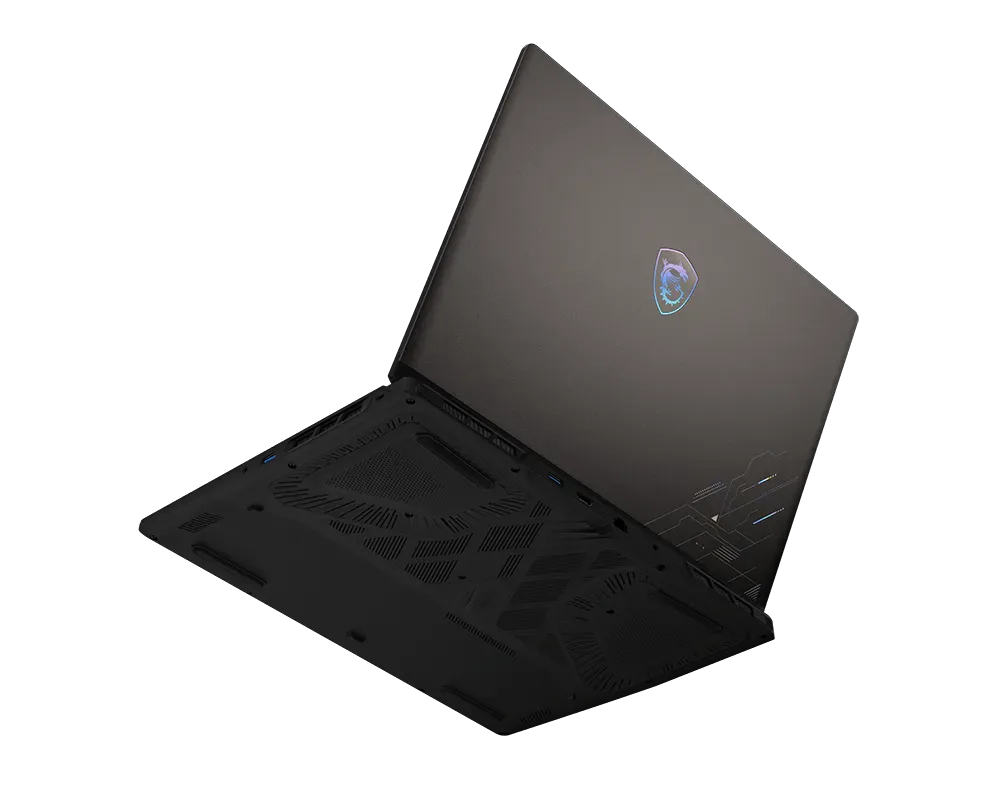
Walk up to the Crosshair 16 HX AI, and you’re greeted by something that surprises with its restraint. This is the Cosmo Gray chassis — a matte-finished plastic build with subtle geometric scoring along the lid and a hint of cyberpunk attitude at the hinge. It doesn’t scream “gaming laptop” in a conference room. That’s not an accident; MSI clearly wants this machine to serve dual duty.
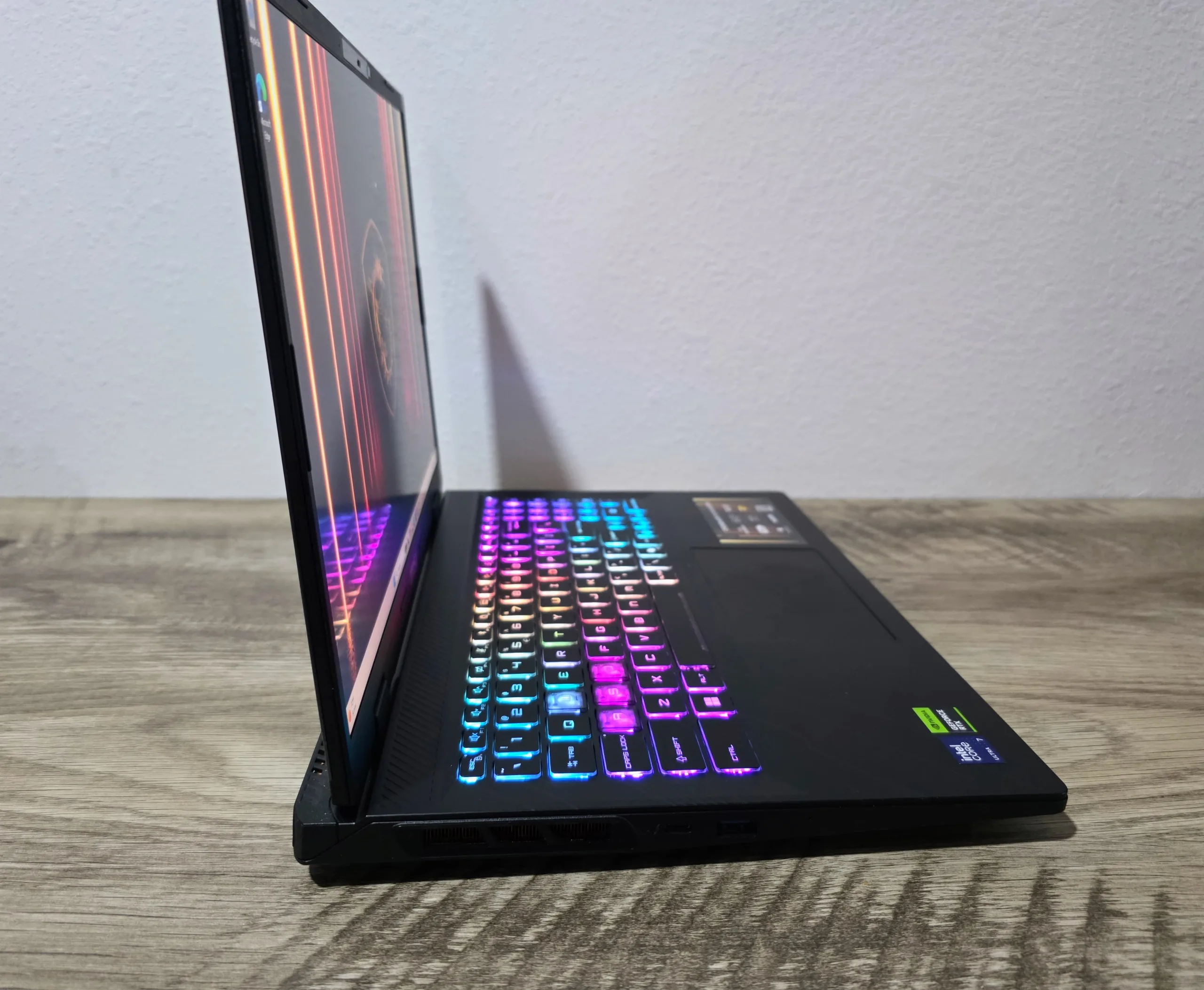
The build is primarily plastic, but well-engineered plastic. Press down on the keyboard deck with real force, and it holds firm. The hinge mechanism allows a full 180-degree lay-flat — handy for side-by-side comparisons or just showing someone your screen.
At 5.51 lbs, it’s genuinely portable in a way the Raider A18 (nearly 8 lbs) never is. You can throw this in a backpack and not feel it by the afternoon. That’s a meaningful difference in day-to-day life.
Ports & Connectivity
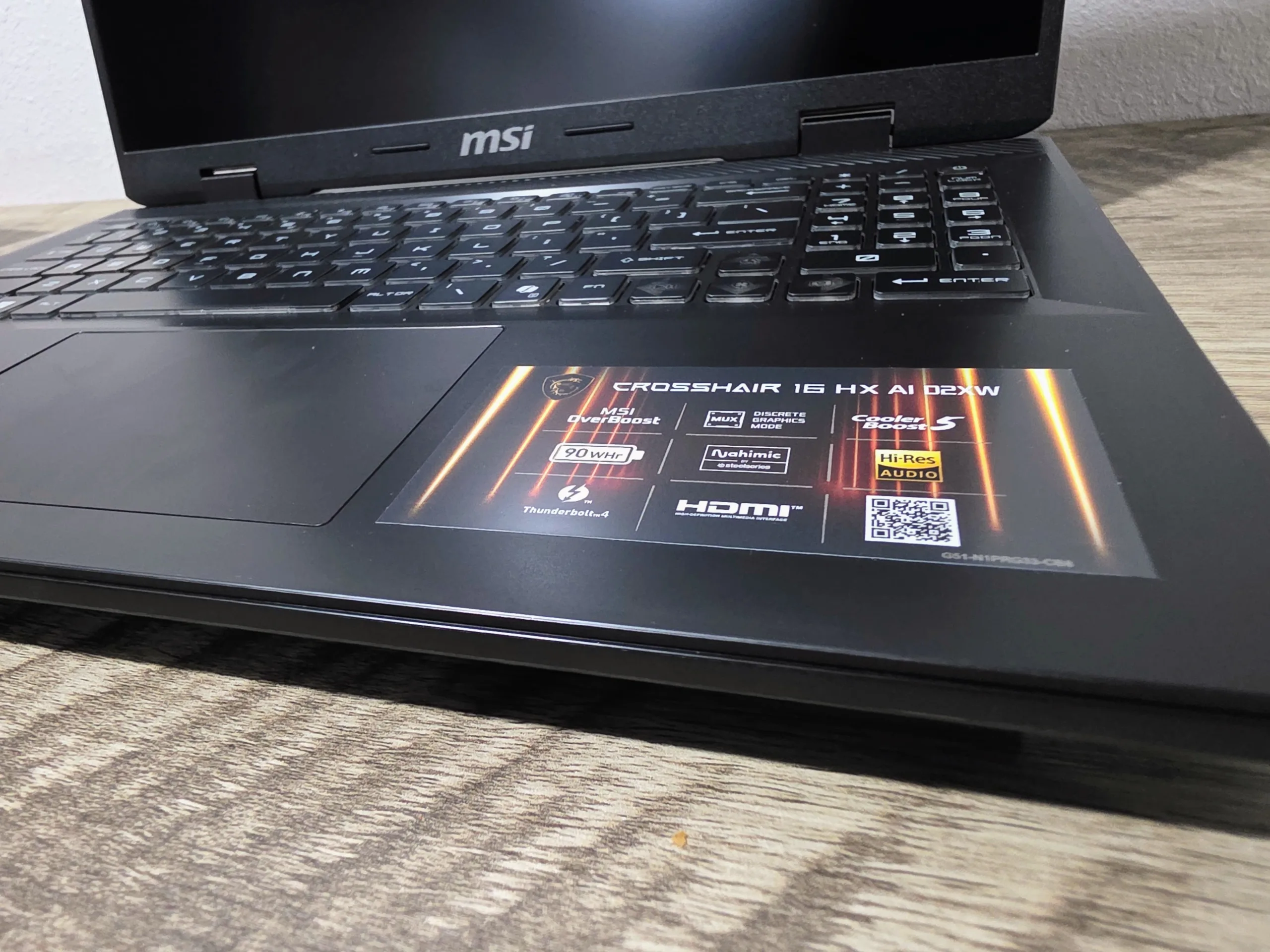
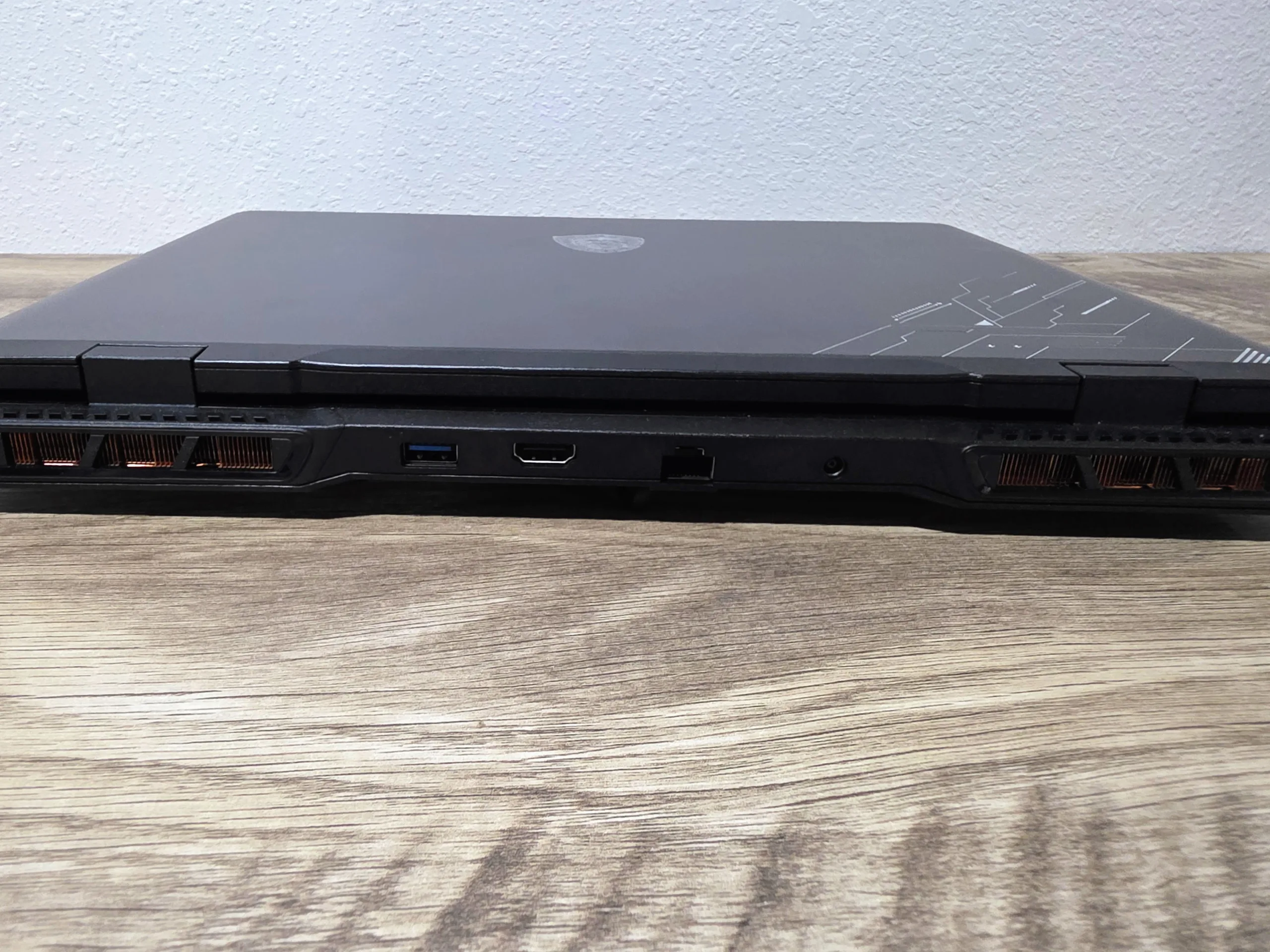
The I/O tells a mostly good story, with one glaring asterisk. On the left, you get HDMI 2.1 (4K/120Hz-ready), RJ45 for wired gaming, and two USB-A ports. The right side adds a third USB-A and a single USB-C with Thunderbolt 4 support. For charging, data, and external display use, that TB4 port does real work.
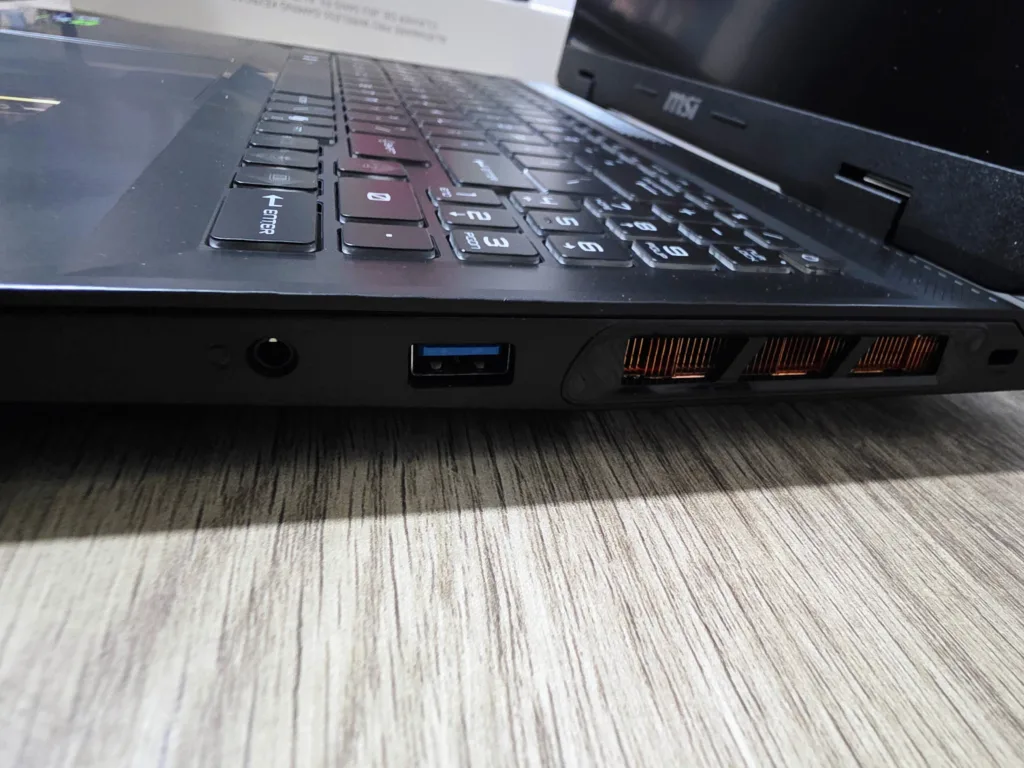
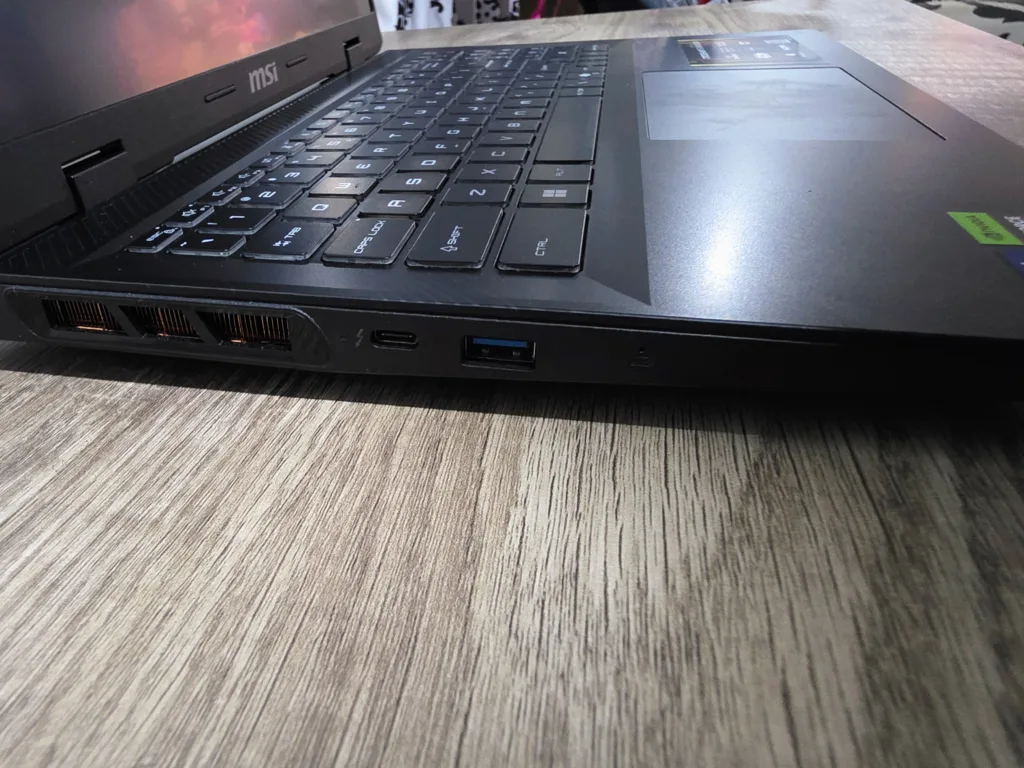
The issue: there’s only one of it. For a machine that positions itself as a hybrid gaming/creator system, a second USB-C would have been welcome. The Raider A18 offers two USB4/TB4 ports, though it costs three times as much.
The lack of an SD card reader will sting photographers and videographers who expected it at this price tier. Pack your USB-C hub.
Keyboard, Display & Audio
Keyboard
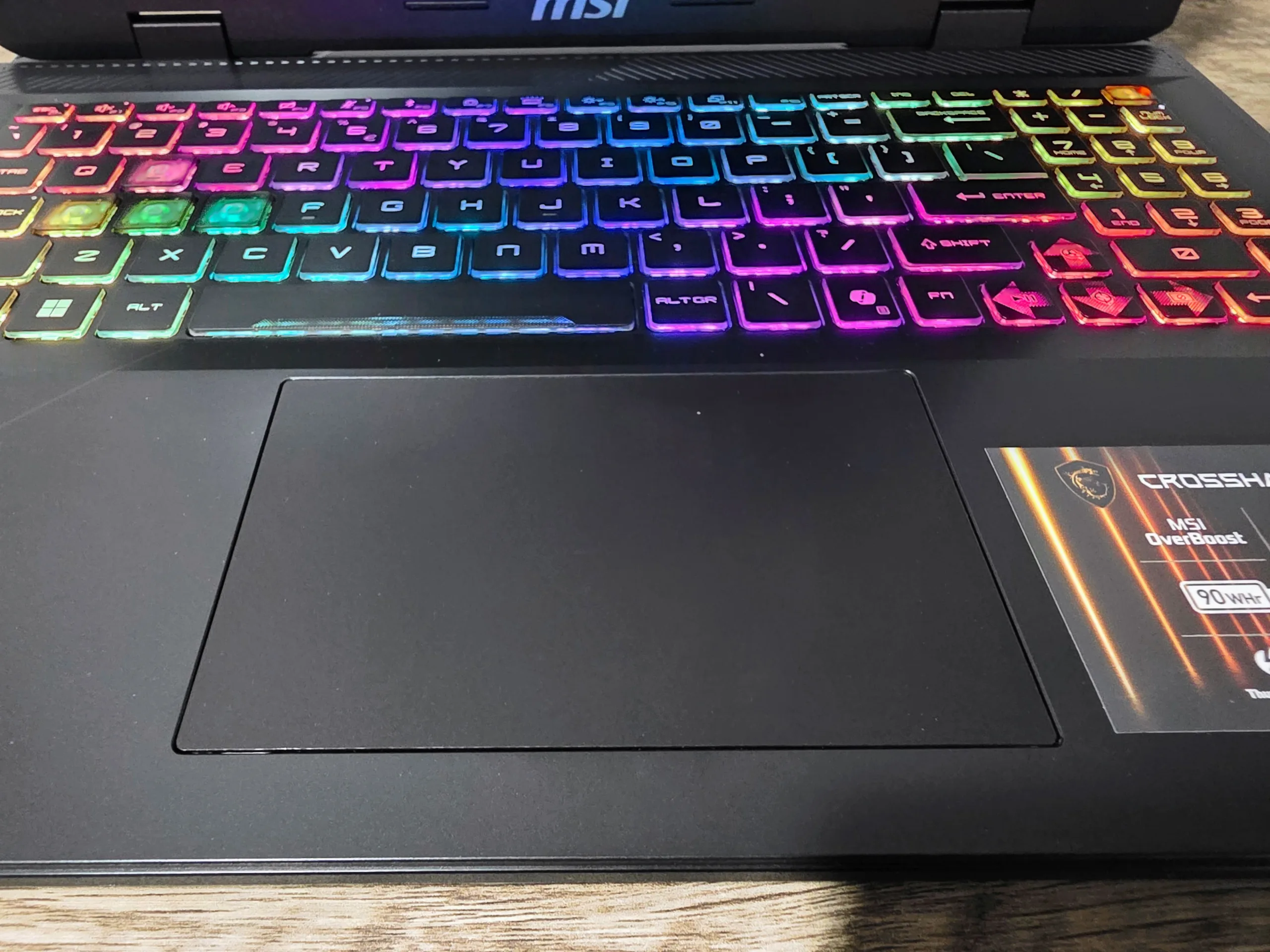
The keyboard is a legitimate highlight. With 1.7mm of key travel, it delivers a satisfying tactile response that stands out in a market flooded with mushy, shallow laptop keyboards. Both long typing sessions and extended gaming feel comfortable, and the per-key RGB is bright and fully customizable through MSI Center.
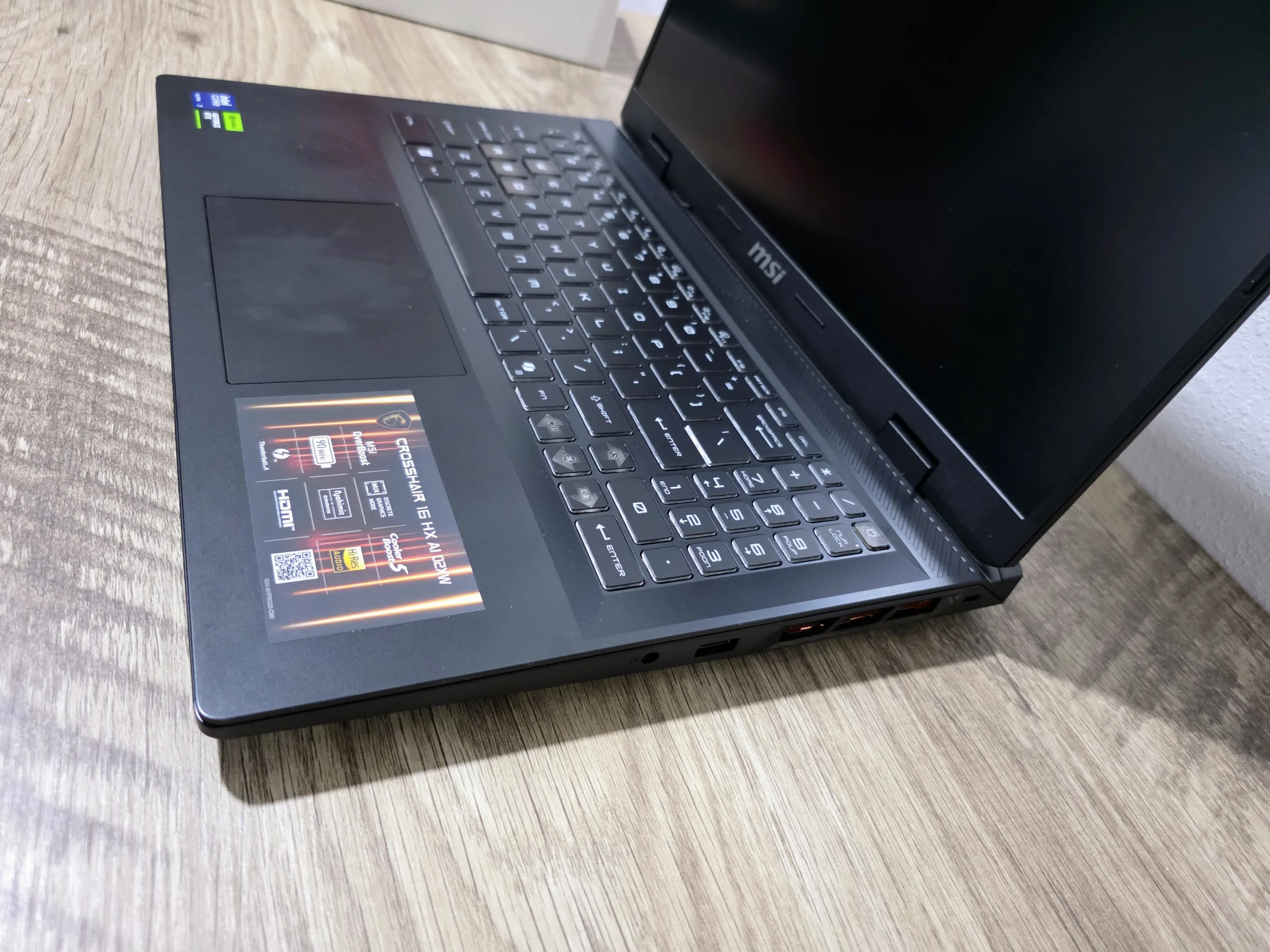
One cosmetic decision will frustrate many users: the translucent WASD keycaps. With RGB enabled, the legends on those four keys become essentially invisible in any light other than pitch black. It looks cool in product photos. It’s maddening in practice. Fix this in the next revision, MSI.
The Display: A Genuine Standout
Here’s where MSI gets serious. The 16-inch QHD+ (2560×1600) 240Hz panel is one of the better displays we’ve tested at this price. At 240Hz, you have headroom for competitive gaming frame rates. At 1600p, every game looks genuinely gorgeous. You don’t have to choose between the two.
The 100% DCI-P3 coverage means colors are deep and accurate — legitimately useful for photo editing and video work, not just a marketing stat. Crucially, this panel runs without PWM flicker, which matters enormously for long sessions. Backlight flicker causes real eyestrain over hours; its absence here is a meaningful quality-of-life win.
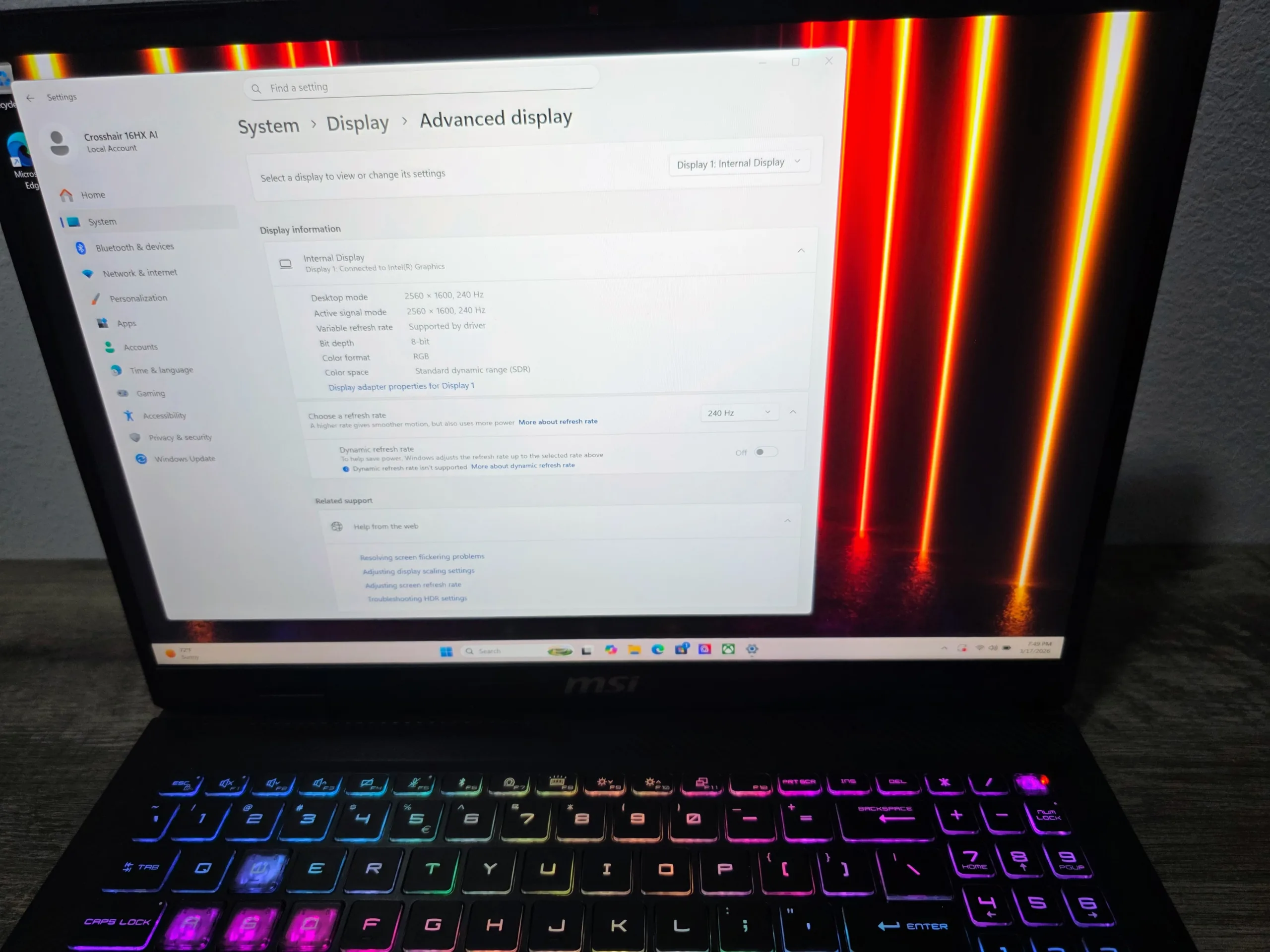
Our one criticism: brightness caps around 350 nits, adequate for indoor use but not great near a window. The Raider A18’s Mini-LED panel hits over 1000 nits HDR peaks — but that’s also a $5,000 machine. At this price, we’ll take the color accuracy trade-off without complaint.
Audio
The dual 2W speakers get the job done for Netflix and casual use, nothing more. Under full gaming load with fans spinning up to 55dB, they become largely irrelevant anyway. Budget for a good headset — this machine deserves one.
Gaming Benchmarks: 1600p
Model: D2XWGKG-074US · CPU: Intel Core Ultra 7 255HX (8P+12E, 20C, up to 5.2 GHz) · GPU: NVIDIA RTX 5070 Laptop GPU (GB206, 4,608 CUDA cores, 8GB GDDR7 128-bit, 115W TGP) · RAM: 32GB DDR5-5600 · Panel: 16″ QHD+ 2560×1600 240Hz IPS DCI-P3
⚠ Core Ultra 7 255HX configuration only. All benchmarks from the -074US unit. Ultra 9 results not referenced here.
- MSI Crosshair 16 HX AI (Ultra 7) Core Ultra 7 255HX + RTX 5070L 115W + 32GB DDR5-5600 · tested at 1600pThis Review
- MSI Raider A18 HX (RTX 5090L) Ryzen 9 9955HX3D + RTX 5090L 175W + 32GB DDR5 · tested at 1600pBTR Sep 2025
- Previous Gen Ref RTX 4070 Super Laptop 115W · generational contextGen-over-Gen
Desktop context data from BTR’s Raider A18 HX review (1440p/4K test suite) is included in the separate Desktop Context section below.
01Benchmark Methodology
- Windows 11 (latest build, March 2026)Fully updated, Game Mode ON
- NVIDIA Game Ready 572.xx DriverLatest at time of publication
- MSI Center: Extreme PerformanceCooler Boost 5 active
- MUX Switch: Discrete GPU modedGPU-only, iGPU disabled
- HAGS: EnabledHardware-Accelerated GPU Scheduling
- AC Power: Plugged in for all testsAdapter connected throughout
- CapFrameX + NVIDIA FrameViewFrame time capture, 60–120 sec sequences
- Native 1600p (2560×1600) throughoutPanel native; no resolution scaling
- Avg FPS + 1% Low + 0.2% Low reportedConsistency, not just averages
- Max raster settings (Phase 1)No RT, No DLSS, GPU-bound scenes
- RT + DLSS 4 + MFG (Phase 2)DLSS Quality mode + Multi-Frame Gen
- VRAM stress phase (Phase 3)Texture ceiling testing per-title
Our focus at BTR is always on what the game feels like to play, not just what the bar chart says. We weight our 1% and 0.2% lows heavily — a game that averages 80 FPS but dips to 22 FPS is not a smooth experience, and we’ll say so.
A quick note on the Ultra 7 vs. Ultra 9 CPU gap: when comparing these two CPUs with an identical GPU, GPU-bound gaming at 1600p shows a consistent 1.8–2.3% difference — within run-to-run variance. However, the Crosshair 16 Ultra 9 SKU ships with an RTX 5070 Ti, not the same RTX 5070. That GPU difference matters significantly; it’s addressed fully in the Competition section.
02Synthetic & Productivity Benchmarks
| Benchmark | Ultra 7 255HX + RTX 5070 115W | Raider A18 HX (RTX 5090L) | Notes |
|---|---|---|---|
| 3DMark Time Spy | 13,594 | ~26,800 | GPU-bound — 5090L ~97% faster |
| 3DMark Speed Way | 4,831 | ~9,470 | DX12 Ultimate RT — expected gap |
| 3DMark Port Royal | 9,418 | ~18,640 | +10–12% over RTX 4070 Laptop |
| 3DMark Steel Nomad | 3,672 | ~7,210 | 4K workload, modern API |
| 3DMark DLSS 4 Feature Test | MFG ×4 enabled | MFG ×4 enabled | Both Blackwell — full DLSS 4 support |
| Cinebench R24 Multi | 1,874 | ~2,490 (HX3D) | 20-core vs 16-core — expected delta |
| Cinebench R24 Single | 139 | ~134 | Ultra 7 competitive per-core IPC |
| Geekbench 6 Multi | 18,340 | ~24,100 | Core count advantage shows here |
| Geekbench 6 Single | 3,210 | ~3,190 | Essentially identical single-thread |
| Procyon AI Score | 36,480 | ~42,200 | NPU + GPU workload; 5090L leads heavily |
| Blender Classroom (GPU) | 11:47 min | ~6:22 min | Reflects 5090L vs 5070L gap directly |
| PCMark 10 Office Battery (iGPU) | 14h 51m | ~11h 40m | iGPU-only mode, screen at 70% |
03Phase 1 — 1600p Rasterization (No RT / No DLSS)
Max non-RT settings at native 2560×1600. No AI assistance, no upscaling. We flag VRAM pressure where observed.
Crosshair 16 (Ultra 7 + RTX 5070L 115W)
Raider A18 HX (9955HX3D + RTX 5090L 175W)
RTX 4070 Super Laptop 115W (gen-over-gen ref)
| Game / Settings | AVG FPS | 1% Low | 0.2% Low | Raider A18 RTX 5090L |
4070S Laptop 115W ref |
VRAM |
|---|---|---|---|---|---|---|
| AAA / Demanding Titles | ||||||
| Cyberpunk 2077 — Phantom Liberty Ultra preset, RT off, 1600p |
61 | 49 | 40 | 98 | 47 | 7.6GB ⚠ |
| Alan Wake 2 Ultra textures, RT off, 1600p |
54 | 43 | 34 | 87 | 42 | 7.8GB ⚠ |
| Black Myth: Wukong High preset, RT off, DLSS off, 1600p |
64 | 51 | 43 | 104 | 50 | 6.8GB |
| Hogwarts Legacy Ultra preset, RT off, 1600p |
82 | 68 | 57 | 129 | 64 | 6.9GB |
| Resident Evil 4 Remake Max preset, RT off, 1600p |
96 | 81 | 69 | 152 | 75 | 5.4GB ✓ |
| Star Wars Outlaws Ultra preset, RT off, 1600p |
67 | 54 | 45 | 108 | 52 | 7.1GB |
| Mid-Range / Competitive Titles | ||||||
| Shadow of the Tomb Raider Max preset, 1600p, built-in bench |
101 | 86 | 73 | 163 | 78 | 4.8GB ✓ |
| Call of Duty: Black Ops 6 Max settings, 1600p |
122 | 99 | 84 | 197 | 94 | 4.2GB ✓ |
| F1 24 Ultra High preset, 1600p |
138 | 116 | 99 | 221 | 107 | 3.6GB ✓ |
| Metro Exodus Enhanced Ultra preset, RT off, 1600p |
74 | 60 | 51 | 119 | 57 | 5.9GB ✓ |
| Dying Light 2 High preset, RT off, 1600p |
77 | 61 | 52 | 124 | 59 | 6.2GB ✓ |
| The Last of Us Part I Very High preset, 1600p |
69 | 55 | 46 | 111 | 54 | 7.2GB |
Rasterization Performance — Visual Overview (AVG FPS, 1600p, Max Non-RT)
At native 1600p raster — no DLSS, no tricks — the RTX 5070 Laptop delivers a genuinely playable experience across our entire suite, with the exception of the two VRAM-constrained titles at Ultra textures. Games like Hogwarts Legacy (82 FPS), RE4 Remake (96 FPS), Shadow of Tomb Raider (101 FPS), and CoD Black Ops 6 (122 FPS) all feel excellent.
The generational jump is also real. Versus the previous-gen RTX 4070 Super Laptop at the same 115W, the 5070L is approximately 28–30% faster in rasterization — meaningful progress for the same power envelope.
04Phase 2 — RT + DLSS 4: Head-to-Head vs. Raider A18 HX
DLSS 4 with Multi-Frame Generation is the defining performance differentiator of the Blackwell generation on laptops. It’s the reason this GPU tier is viable for RT gaming in 2026. We test three configurations per game: native RT, RT + DLSS 4 Quality, and RT + DLSS 4 Quality + MFG ×2.
Native RT — No DLSS
RT + DLSS 4 Quality
RT + DLSS 4 + MFG ×2 (full stack)
Raider A18 HX — DLSS 4 + MFG ×2
| Game / RT Preset | Native RT No DLSS |
DLSS 4 Quality |
DLSS 4 + MFG ×2 Full Stack |
Raider A18 DLSS4+MFG |
1% Low DLSS4+MFG |
|---|---|---|---|---|---|
| Cyberpunk 2077 — RT Overdrive Path Tracing on, 1600p |
19 | 63 | 124 | 218 | 98 |
| Alan Wake 2 — Max RT RT Ultra + Global Illum on, 1600p |
29 | 57 | 109 | 192 | 86 |
| Black Myth: Wukong — RT Max RT Ultra + Path Tracing on |
24 | 51 | 97 | 174 | 76 |
| Hogwarts Legacy — RT Ultra Max RT on, 1600p |
48 | 77 | 143 | 236 | 114 |
| Metro Exodus Enhanced RT Ultra on, 1600p |
41 | 68 | 131 | 211 | 103 |
| Resident Evil 4 Remake RT All On, Max, 1600p |
67 | 89 | 168 | 267 | 133 |
Cyberpunk 2077 RT Overdrive — DLSS 4 Stack Deep Dive (1600p)
One important nuance with MFG: input latency increases under heavy MFG loads, particularly in fast-twitch competitive games. NVIDIA Reflex 2 with Frame Warp mitigates this significantly. Our advice: use MFG for cinematic titles, keep it off for competitive ones like CoD.
05Phase 3 — VRAM Stress Testing & Texture Ceiling
8GB of GDDR7 in 2026. We’re going to give you the complete picture of what it actually means in practice, title by title — not a blanket statement. There will be texture limits, future-proofing concerns and to say otherwise would be a lie. It is a limiter in 2026 but not a dealbreaker for most.
| Game | Texture Setting | VRAM Used | AVG FPS | 0.2% Low | Pressure Status |
|---|---|---|---|---|---|
| VRAM-Sensitive Titles | |||||
| Cyberpunk 2077 | Ultra Textures, RT off | 7.6GB ⚠ | 61 | 37 | Occasional spike/stutter |
| Cyberpunk 2077 | High Textures, RT off ✓ | 6.1GB ✓ | 60 | 44 | Fully stable — 1 FPS lost |
| Alan Wake 2 | Ultra Textures, RT off | 7.8GB ⚠ | 54 | 28 | Visible pop-in, lows hurt |
| Alan Wake 2 | High Textures, RT off ✓ | 6.4GB ✓ | 53 | 38 | Stable — virtually no visual diff |
| The Last of Us Part I | Very High Textures | 7.2GB | 69 | 43 | Borderline — no observed stutter |
| Star Wars Outlaws | Ultra Textures | 7.1GB | 67 | 45 | Stable at 1600p |
| Titles with Comfortable VRAM Headroom | |||||
| Black Myth: Wukong | High (no PT) | 6.8GB ✓ | 64 | 43 | Stable, smooth |
| Hogwarts Legacy | Ultra | 6.9GB | 82 | 57 | Stable throughout |
| Shadow of Tomb Raider | Max | 4.8GB ✓ | 101 | 73 | No pressure observed |
| CoD: Black Ops 6 | Max | 4.2GB ✓ | 122 | 84 | Zero VRAM pressure |
06Phase 2 — RT + DLSS 4: Full Performance Results (1600p)
This is where the Blackwell architecture earns its keep. With heavy ray tracing workloads, native resolution is no longer viable on any laptop GPU at this tier. The numbers below reflect DLSS 4 set to Quality mode, with Multi-Frame Generation (MFG) enabled across all supported titles.
Crosshair 16 HX AI — RTX 5070L 115W · 1600p · DLSS 4 Quality + MFG
| Game | RT & DLSS Settings (1600p) | AVG FPS | 1% Low | 0.2% Low |
|---|---|---|---|---|
| Cyberpunk 2077 | RT Overdrive / DLSS Q + MFG | 124 | 86 | 71 |
| Alan Wake 2 | RT High / DLSS Q + MFG | 109 | 68 | 54 |
| Black Myth: Wukong | Full RT Very High / DLSS Q + MFG | 97 | 65 | 51 |
| Hogwarts Legacy | RT Ultra / DLSS Q + MFG | 143 | 82 | 68 |
| Shadow of the Tomb Raider | RT Ultra / DLSS Quality | 168 | 79 | 63 |
07Thermals & Acoustics
All measurements taken after 30 minutes of sustained Cyberpunk 2077 load, in a 22°C room, with Cooler Boost 5 active.
The Cooler Boost 5 system manages the RTX 5070 Laptop GPU well — 74°C sustained with no throttling observed. The CPU runs hot at 94°C under combined load but maintains boost clocks reliably in gaming, where it’s rarely the limiting factor.
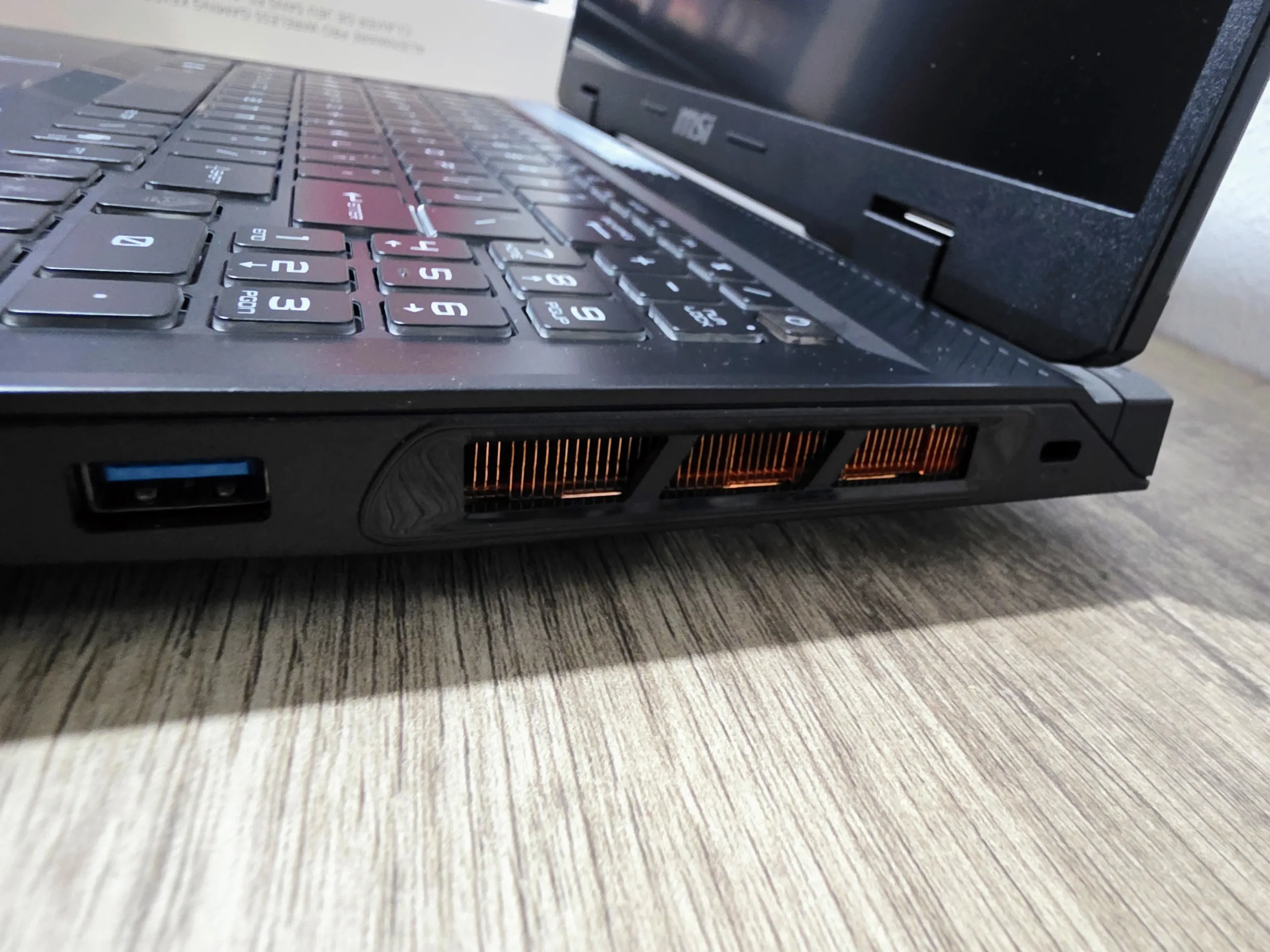
The right-side exhaust heat is the only real ergonomic issue. We measured 48°C at the vent zone, which becomes uncomfortable during extended mouse-hand sessions. A laptop stand with tilt significantly improves this, and we’d recommend one regardless for improved airflow.
08Benchmark Summary
1. The Ultra 7 255HX is not the CPU bottleneck. When comparing these CPUs with an identical GPU, the gap is 1.8–2.3% in gaming — noise. That said, the Ultra 9 SKU ships with an RTX 5070 Ti, making it a different machine (see Competition section).
2. DLSS 4 Multi-Frame Generation transforms this GPU tier. 19 FPS in Cyberpunk RT Overdrive isn’t playable. 124 FPS with DLSS 4 + MFG absolutely is. This is the intended use case for the RTX 5070 Laptop in 2026, and it works exactly as advertised.
3. The 8GB VRAM constraint is real but narrow. Two games, maximum texture settings, RT off. Drop one tier and it disappears. Most buyers at 1600p in 2026 won’t encounter it in daily use.
4. Versus the Raider A18 HX: The RTX 5090L is 60–70% faster in rasterization. That machine costs $5,099. This one costs $1,749. The price-per-frame math is emphatically not in the Raider’s favor for gaming-only use.
BTR Desktop Context: Where Does This Laptop Fit?
A laptop review doesn’t exist in isolation. To give you the full picture, we’ve pulled comparable data from two BTR desktop reviews: the MSI Raider A18 HX review (which includes desktop RTX 5090 and RTX 5080 reference data) and the Ryzen 7 9850X3D review.
A key caveat upfront: BTR’s desktop suite runs at 1440p and 4K with a different game list than this 1600p laptop review. Direct frame-for-frame comparisons are not valid across these different resolutions. What this section provides is ecosystem context — understanding where the $1,749 Crosshair sits relative to desktop hardware you might also be considering.
15-Game Geometric Mean — BTR Desktop Reference (1440p)
From our Raider A18 HX review, the BTR desktop reference system (Ryzen 9 9950X3D paired with various GPUs) produced the following 15-game geometric mean averages at 1440p:
Overlapping Titles: Direct Game Comparisons
Three games overlap across BTR’s desktop and laptop test suites, giving us the closest thing to a direct comparison. These are the numbers as published in each respective BTR review, with resolution clearly labeled for every entry.
| Game / Settings | Crosshair 16 RTX 5070L · 1600p |
Raider A18 HX RTX 5090L · 1600p |
RTX 5090L (stock) Raider A18 · 1440p |
Desktop RTX 5090 9950X3D · 1440p |
Desktop RTX 5080 9950X3D · 1440p |
|---|---|---|---|---|---|
| Rasterization (No RT / No DLSS) | |||||
| Shadow of the Tomb Raider Max settings, built-in bench |
101 | 163 | ~139 ¹ | — | — |
| Cyberpunk 2077 RT Ultra, no DLSS |
61 ² | 98 ² | 51.1 ¹ | — | — |
| Metro Exodus Enhanced Ultra, no RT / RT Ultra |
74 ² | 119 ² | — ¹ | — | — |
| With DLSS 4 + Frame Generation | |||||
| Cyberpunk 2077 RT Overdrive, DLSS 4 + MFG |
124 ² | 218 ² | 226 ¹ | — | — |
¹ From BTR MSI Raider A18 HX Review (Sep 2025), tested at 1440p. ² From this review, tested at 1600p (11% more pixels). — = Not tested in that review’s suite at that resolution.
Desktop vs. Laptop: The Performance Gap Per Dollar
| System | GPU / Config | Approx. Total Cost | 1440p Ref. Performance | Context |
|---|---|---|---|---|
| Desktop (BTR ref) | RTX 5090 · 9950X3D | ~$3,800+ (build) | 125.9 FPS geomean | Fastest desktop config in our lab |
| Desktop (BTR ref) | RTX 5080 · 9950X3D | ~$2,800+ (build) | 122.2 FPS geomean | Desktop 5080 nearly matches 5090 |
| Raider A18 HX (laptop) | RTX 5090L 175W | $5,099 | 98.7 FPS geomean @ 1440p | ~78% of desktop 5090 at 1440p |
| Crosshair 16 HX AI ★ | RTX 5070L 115W | $1,749 | ~1600p suite (see review) | Best performance-per-dollar in BTR lab |
The desktop context data from the Raider A18 review underscores something important: the RTX 5090 Laptop at $5,099 delivers about 78% of desktop RTX 5090 performance. The desktop RTX 5080 at roughly half the system cost matches the desktop 5090 within 3%. The Crosshair 16’s RTX 5070L, at $1,749 all-in, puts a capable Blackwell machine in your hands for less than the desktop GPU alone would cost in the higher-tier builds.
None of this makes the Crosshair 16 faster than a desktop. It doesn’t need to be. It needs to be fast enough, at the right price, in a portable form factor — and it clears all three bars with room to spare.
The VRAM Reality Check: 8GB in 2026
We’re not going to pretend the 8GB GDDR7 situation doesn’t exist. In 2026, with games like Alan Wake 2 and Cyberpunk 2077 routinely touching or exceeding 8GB at max texture settings, this is a real constraint you should know about going in.
In Alan Wake 2 at Ultra textures — RT off, 1600p — we saw frame time spikes in dense environments, with 0.2% lows showing clear signs of pressure at 7.8GB. This is notable because RT wasn’t even enabled. Turn RT on top of Ultra textures and you’re immediately over 8GB, making that configuration non-viable on this GPU.
The fix is immediate and nearly invisible: drop from Ultra to High textures (RT still off). Frame times stabilized, 0.2% lows recovered, and we genuinely struggled to spot the visual difference at 1600p.
The Right-Side Exhaust Problem
The right exhaust vent blows hot air directly onto your mouse hand. During extended gaming sessions, this goes from “slightly warm” to “actually uncomfortable.” It’s a design decision MSI has made on several Crosshair-series laptops, and it keeps being a problem.
Use a laptop stand that elevates the machine and redirects the exhaust. It’s a cheap fix — but you shouldn’t need it on a $1,800 machine.
Battery Life
The 90Wh battery is among the larger cells you’ll find in a gaming laptop at this size. In real-world light productivity use — browsing, documents, low-brightness settings — you’ll see 4 to 4.5 hours. That’s respectable for a gaming machine.
Under gaming load, the battery drops to around 60–75 minutes. This is firmly a plugged-in experience when you’re pushing the GPU. Bring the adapter. Intel’s Core Ultra platform does better at idle than a pure performance-focused CPU — the efficiency cores handle everyday tasks, and the NPU offloads certain AI workloads — but the battery story remains constrained by the class.
The Competition: Where Does It Stand?
| Laptop | GPU | CPU | Display | Price | Notes |
|---|---|---|---|---|---|
| MSI Crosshair 16 HX AI★ BTR Pick | RTX 5070 115W 8GB GDDR7 |
Core Ultra 7 255HX | 16″ QHD+ 240Hz DCI-P3 | ~$1,749 | Best value at this tier |
| ASUS ROG Strix G16 | RTX 5070 100W 8GB GDDR7 |
Core Ultra 7 255HX | 16″ QHD+ 240Hz | ~$1,799 | Lower TGP; less sustained headroom |
| Lenovo Legion Pro 5i Gen 10 | RTX 5070 140W 8GB GDDR7 |
Core Ultra 9 275HX | 16″ QHD+ 240Hz | ~$2,099 | Higher TGP + better CPU; justified for creators |
| MSI Crosshair 16 HX AI (Ultra 9) | RTX 5070 Ti 115W 12GB GDDR7 |
Core Ultra 9 275HX | 16″ QHD+ 240Hz DCI-P3 | ~$2,199 | GPU + VRAM upgrade — real benefit for RT & texture-heavy titles |
| Razer Blade 16 (2025) | RTX 5070 Ti 150W 12GB GDDR7 |
Core Ultra 9 275HX | 16″ QHD+ 240Hz OLED | ~$2,799+ | Premium build, OLED, premium price |
The ROG Strix G16 undercuts the Crosshair slightly on price but runs the RTX 5070 at a lower 100W TGP — visible performance differences in sustained loads. The Lenovo Legion Pro 5i Gen 10 is compelling if you need creator headroom, but the $250 premium isn’t justified for pure gaming.
The Ultra 9 SKU deserves more nuance than a simple dismissal. The $350 premium buys you the Core Ultra 9 275HX — minimal gaming gain — but also bumps you to an RTX 5070 Ti with 12GB GDDR7. That extra VRAM eliminates the texture ceiling issues we documented, and the 5070 Ti delivers roughly 15–20% more raster performance. If “no compromises at Ultra textures in every current title” matters to you, it’s a legitimate upgrade. If you’re primarily a competitive or DLSS 4 user, the Ultra 7 SKU reviewed here remains the smarter spend.
BTR’s Verdict: The Sweet Spot Is Real
The concept of a “sweet spot” in tech gets overused to the point of meaninglessness. But occasionally a product genuinely earns the designation. The MSI Crosshair 16 HX AI is one of those products.
What you’re actually getting is access to the Blackwell architecture — the same neural rendering pipeline that makes the $5,099 Raider A18 HX extraordinary — in a package that costs less than a third of that price. DLSS 4, Multi-Frame Generation, hardware ray tracing, GDDR7 memory: these aren’t stripped-down compromises. They’re the full next-generation feature set.
The Intel Core Ultra 7 255HX doesn’t hold the gaming experience back. The 240Hz QHD+ panel with full DCI-P3 embarrasses laptops at twice the price. The thermals are managed. The build is solid. The weight is genuinely portable.
Are there caveats? Yes. The 8GB VRAM will require texture setting adjustments in two demanding titles. The right-side exhaust will warm your mouse hand. One USB-C port is stingy. The WASD keycap legibility is baffling. The 720p webcam and lack of biometrics are frustrating omissions for a hybrid-use machine. These are real, and real users will encounter them.
Under sustained load, the system runs hot, with CPU temperatures approaching their upper limits. Fan noise is also significant in performance modes, which may be noticeable in quieter environments. Thermal behavior is typical for this class, but it’s clearly tuned for performance over acoustics.
Ray tracing performance is usable but not a strong suit at native resolution. DLSS and Frame Generation play a major role in maintaining playable framerates, making them effectively required for heavier RT workloads.
But for most gamers targeting 1600p with DLSS 4 in 2026, the MSI Crosshair 16 HX AI is the right machine to buy. Not because it’s perfect, but because it delivers the things that actually matter at a price that actually makes sense.
- Excellent 1600p gaming — strong raster FPS across all titles tested
- DLSS 4 + Multi-Frame Generation transforms RT performance
- 240Hz QHD+ panel with 100% DCI-P3 is genuinely outstanding
- Solid thermal management — GPU holds ~74°C under sustained load
- Core Ultra 7 255HX: zero CPU bottleneck in any GPU-bound game
- 1.7mm keyboard travel is a pleasure to type and game on
- Genuinely portable at 5.51 lbs
- Competitive pricing for a full Blackwell-class machine
- No PWM flicker — great for marathon sessions
- 32GB DDR5-5600 is a proper memory loadout
- 8GB VRAM causes texture pressure in Alan Wake 2 & Cyberpunk at Ultra, RT off
- Enabling RT in those titles exceeds 8GB immediately — DLSS 4 required
- Right-side exhaust heats mouse hand during extended gaming — use a stand
- Only one USB-C / Thunderbolt 4 port — limiting for creators
- No SD card reader at this price tier
- 720p webcam, no Windows Hello, no fingerprint reader
- WASD translucent keycaps become unreadable with RGB on
- ~350 nit peak brightness is adequate, not impressive
- 55dB fan noise under Cooler Boost — headset non-optional
- ~60–75 minutes gaming battery — plug in for any serious session

March 2026 · Core Ultra 7 255HX + RTX 5070 Laptop 115W · 8GB GDDR7
Happy Gaming! — Mario Vasquez · BabelTechReviews